Certification Registry
Centralize and Manage All Employee Certificates in Moodle
Keep your employee training up to date and compliant. Gather online and offline course certificates, complete with providers and validity dates, and automatically assign mandatory training based on each employee’s progression within the company.
SMS Reminders
External Certificates
Mandatory Training
Features and benefits
Bring all your certificates into one place
Whether your team completed training on Moodle, at a conference, or through an online course, the plugin centralizes it all with complete reports.
See who’s certified at a glance
With one click, find information about each employee’s certificates, how many they hold, where they got them from, and how many are valid.
Track expirations
Add entry and expiration dates for each certification to know who’s up to date and who needs a reminder to refresh their skills and knowledge.
Allocate certificates
New hire? Updated safety policy? Automate certification assignment based on role, department, or course completion
Keep provider records
Log the organizations and institutions that issue your certificates, so you always know where each certification came from and stay compliant.
Ensure compliance
The plugin is perfect for mandatory training certifications like cybersecurity or job safety. Track how your team is doing in one place for your peace of mind.
Notify people
Automate SMS notifications to employees when their certification is about to lapse, so renewals happen on time, and no one falls out of compliance.
How the Certification Registry plugin works
1
Add providers
Start by logging the providers that issue your certificates. Add their information, which you can later on edit, delete, or download.
2
Create certificates
Add each certificate that exists outside Moodle by giving it a name and an expiration date, for example, valid for two years, or expires on a specific day (e.g., May 1, 2030).
3
Set up allocation
For each certificate, pick an allocation type: by organizational structure (department and position), or by course, so everyone who completed a given course receives it. Enable automatic allocation to assign it automatically, or disable it to choose people manually.
Then select your certificates and choose the positions or departments that should receive them.
4
Review everything in the registry
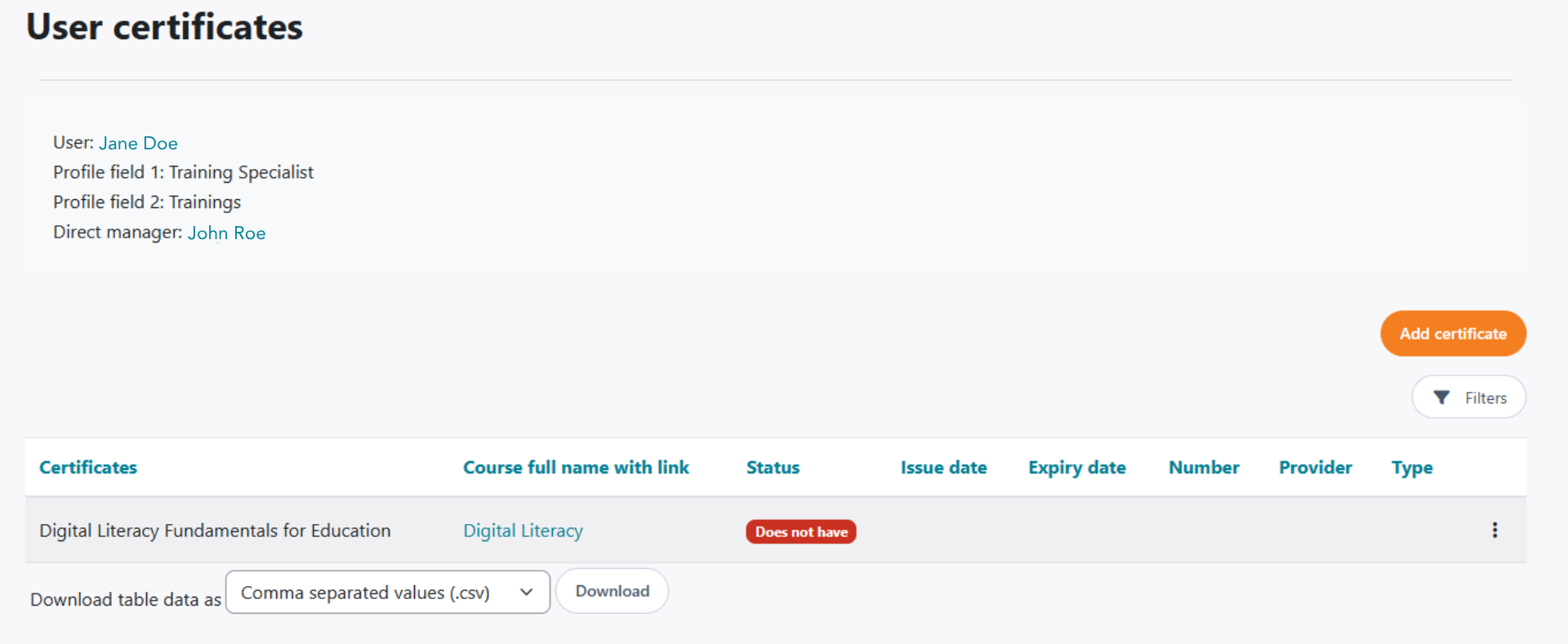
Open the registry for a full report on each employee’s details, managers, and how many certificates they hold, valid and expired. Filter by position or department, and open any person for more detail or to add a certificate directly.
5
Enable notifications
You can choose to send automatic SMS reminders when a certificate is about to expire.
TESTIMONIALS
What people are saying
FAQs
Yes, you can access all information about your employees’ certificates, their validity, and who’s responsible for managing them within the same plugin.
You allocate certificates by organizational structure or by course completion. You can choose to automate this step or do it manually.
Yes, you can automate SMS notifications to employees when their certification is about to expire, so renewals happen on time and mandatory certifications stay valid.
The Certificate Registry plugin lets you store external and Moodle course certificates for mandatory training. For example, you can use it when your entire team needs to get a safety training certification or individual employees need to get certification relevant to their role.
Build Your Perfect Moodle Experience
Extend Moodle with plugins tailored to your organisation’s needs.