


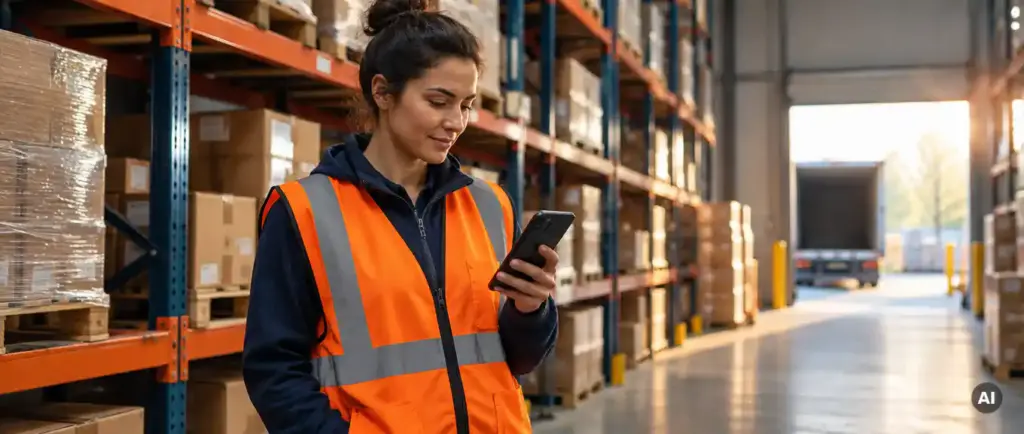
Mobile-first learning is essential for non-desk worker training because factory workers rarely sit at a computer, often have no corporate email address, and need short, flexible training that fits around shifts. A phone-based approach puts onboarding, safety and compliance training in reach of every employee, which supports standardizing workforce training across sites.
The reasoning is practical. Training that cannot be reached by the people who need it will not be completed, and incomplete training leaves manufacturing workforce skill gaps open. The sections below cover the barriers, access, design, content, proof and rollout questions that follow.
What stops factory workers from using desktop-based training?
Factory workers are held back from desktop training by limited computer access, tight shift schedules, and the lack of a quiet place to study. When training requires a desk, a login tied to a company mailbox and an uninterrupted hour, many production employees simply cannot complete it during their working day.
The barriers tend to fall into a few familiar groups:
- Shared or distant computers. A single terminal in a break room or office serves dozens of people, and queues form at shift changes.
- Time pressure. Operators on a production line cannot step away for long modules, so training gets pushed to overtime or skipped.
- Environment. Noise, protective equipment and shop floor conditions make desktop learning impractical.
- Digital confidence. Some employees are comfortable with a smartphone but not with desktop software or complex portals.
The result is uneven completion, manual chasing by HR, and different standards at different locations. Addressing LMS access for non-desk workers starts with removing these obstacles rather than asking employees to adapt to the system.
How can workers without corporate email access training?
Workers without corporate email can access training through authentication methods that do not depend on a company mailbox, such as a one-time code sent by SMS to a personal mobile number. This lets production employees log in securely and reach assigned courses straight from their phone.
Email is the default login method in most learning platforms, which quietly excludes a large part of a manufacturing workforce. Alternatives worth considering include:
- SMS-based sign-in. The employee receives a code and enters it, with no password to forget or reset.
- Link-based enrolment. HR sends an invitation by text message that opens the course directly.
- Employee ID matching. Accounts are linked to existing HR records so that training history follows the person, not the email address.
Moodle supports flexible authentication, and additional features such as SMS login can be added to the platform. You can explore the options on our page about additional Moodle features. Whichever method you choose, confirm how personal phone numbers are stored and used, and check this against your data protection obligations in each country where you operate.
What makes training effective on a mobile device?
Effective mobile training is short, focused on a single task or concept, easy to read on a small screen, and available in the employee’s own language. A learner should be able to open a lesson, finish it in a few minutes, and return to work knowing exactly what to do.
Several design principles make the difference between training that gets used and training that gets ignored:
- Keep modules brief. Aim for lessons that fit into a break or a pause between tasks rather than long courses designed for a desktop.
- Use a single column and large tap targets. Gloved or tired hands need simple navigation and readable text.
- Favour visuals and short video. Photographs of equipment, annotated diagrams and brief demonstrations often communicate procedures better than paragraphs of text.
- Offer the right languages. Many plants employ people who speak different languages, and training in a second language raises the risk of misunderstanding.
- Design for interruptions. Progress should save automatically so a worker can resume after being called back to the line.
Responsive Moodle themes and the official Moodle app both support this kind of delivery, but the quality of the result depends mostly on how the content is built. Thoughtful course creation matters as much as the platform itself.
Which training types suit mobile-first delivery best?
Mobile-first delivery suits onboarding, safety briefings, SOP updates, compliance refreshers and short knowledge checks best. These formats are brief, repeatable and based on information workers need to recall quickly, which makes them well matched to a phone.
Training that works well on mobile
- Onboarding steps. Welcome information, site rules, who to contact and first-week checklists can be delivered before a new starter reaches the line.
- Safety and hazard awareness. Short, recurring modules keep key risks visible without taking people off production for long.
- Procedure and SOP updates. When a work instruction changes, workers can read the new version and confirm they understand it.
- Quick quizzes and refreshers. Brief checks reinforce learning and reveal gaps in understanding early.
Training that still needs another format
Hands-on skills, machine operation and certifications that require a practical assessment still need in-person instruction. Mobile learning works best as a companion to this, covering the theory beforehand and the reminders afterwards. A blended approach also helps address manufacturing workforce skill gaps, because the mobile layer identifies who needs practical coaching and where.
How do you prove mobile training was completed?
You prove mobile training was completed by relying on the learning platform’s automatic records of enrolment, completion, assessment results and time spent, supported by digital acknowledgement of procedures. These records are stored centrally, so audit evidence can be retrieved without searching spreadsheets or paper files.
For compliance, health and safety and quality managers, the key records usually include:
- Completion status and dates for each assigned course and each employee.
- Assessment scores that show understanding, not just attendance.
- Digital acknowledgements. A read-and-sign step confirms that an employee has seen the current version of a procedure.
- Training hours. Time tracking helps HR report on the effort invested in development.
- Recurring assignments. Automated reminders for refresher training reduce the risk of expired certifications.
It is worth being precise here: a learning platform supports compliance by producing reliable evidence, but it does not by itself guarantee compliance with any regulation. Your procedures, content and oversight still determine that. The platform’s role is to make the proof complete, current and easy to retrieve.
How should manufacturers roll out mobile learning across sites?
Manufacturers should roll out mobile learning in stages: start with one high-value use case at a pilot site, test access and content with real shop floor employees, then expand using shared templates and a consistent structure. This avoids launching a platform that works in headquarters but fails on the factory floor.
- Define the first use case. Onboarding or mandatory safety training usually offers the clearest benefit and the most measurable result.
- Choose a pilot site. Include supervisors and operators from different shifts, not only office-based staff.
- Solve access first. Confirm that workers can log in on their own phones, or on shared devices where policy requires, before building more content.
- Standardise the content. Use common courses and templates so every location follows the same procedures, with local adjustments only where necessary.
- Automate assignments. Link training to roles and locations, so new starters and role changes trigger the right courses without manual coordination.
- Review the data and expand. Use completion and assessment reports to refine the programme before extending it to further sites.
For organizations with many sites or departments, platform choice matters. A well-configured Moodle LMS may be sufficient for many manufacturers, while more complex structures with several organizational units and automated workflows can benefit from Moodle Workplace. The right choice depends on your size, reporting needs and integration requirements.
How Vextur can help with mobile training for non-desk workers
As a certified Premium Moodle Partner, we help manufacturers make training reachable for every employee, including those without corporate email or regular computer access. We start by analysing your workforce, sites and compliance needs, then recommend the Moodle LMS or Moodle Workplace configuration that fits.
Our work can include SMS-based authentication, automated training assignments, training time tracking, digital acknowledgement of procedures and integrations with your HR systems, delivered as a managed Moodle service. If you are planning to improve LMS access for non-desk workers, you can learn more about our Moodle LMS solutions or contact our team to discuss your requirements.
